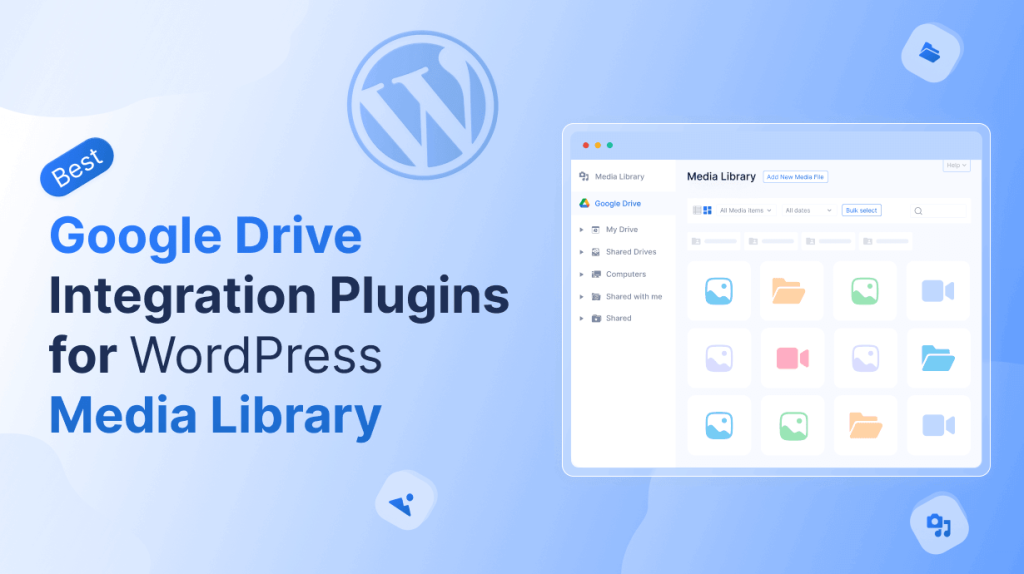
Managing a growing WordPress media library can be challenging, especially when you deal with large files or collaborate with multiple team members. Integrating Google Drive with your WordPress site can simplify this process, giving you centralized access to all your media files.
With the right plugin, you can easily import, organize, and manage files from Google Drive directly in your WordPress dashboard. This not only saves time but also ensures your media is always synced and secure.
Here, we’ll share the best plugins to integrate Google Drive with WordPress and help you choose the right one.
What is the Google Drive Plugin?
A Google Drive plugin for WordPress connects your website’s media library with your Google Drive account. It lets you access, import, and manage files like images, videos, and documents directly from the WordPress dashboard.
These plugins often include features like automatic syncing, file embedding, and folder organization. They make it easier to manage large media libraries and collaborate with team members efficiently.
Benefits of Integrating Google Drive with WordPress Media Library
Integrating Google Drive with your WordPress media library can save time, improve organization, and make collaboration easier. By connecting the two, you get seamless access to your files and a more efficient workflow.
- Centralized Access: All your media files are available in one place, making it easy to manage and locate them.
- Automatic Syncing: Changes made in Google Drive are reflected in WordPress, keeping your files up to date.
- Improved Collaboration: Teams can work together on media files without duplicating content or losing track of updates.
- Time-Saving Management: Upload, organize, and embed files directly from Google Drive, reducing repetitive tasks.
- Enhanced Backup & Security: Your media stays safe in Google Drive while still being accessible from WordPress.
Best Plugins to Integrate Google Drive for WordPress Media Library
In this section, we highlight the top plugins to connect Google Drive with your WordPress media library. They let you access, organize, and manage your files directly from your dashboard with ease.
Integrate Google Drive
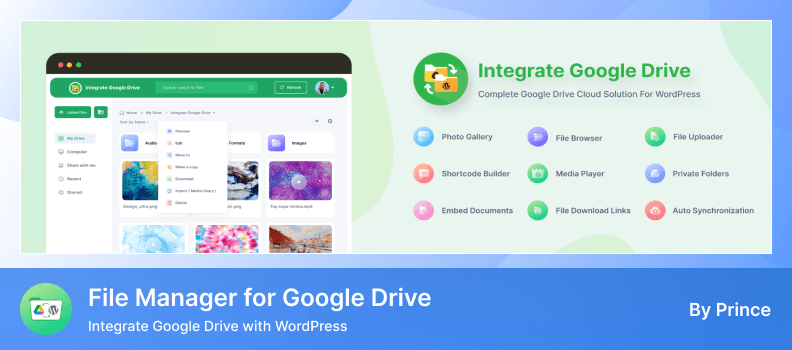
Integrate Google Drive is a robust plugin that connects your Google Drive account directly with your WordPress media library. It allows you to manage, organize, and access all your media files, including images, videos, and documents, directly from the WordPress dashboard.
You can browse files, assign them to folders, upload new media, and embed content into posts and pages. It makes managing large media libraries simple and efficient without any coding.
Key Features
- Seamless Google Drive Integration: Connect your Drive account to WordPress to manage files directly in your media library.
- File Browser Module: Organize your media library with a flexible file browser for better navigation and management.
- Drag and Drop Uploads: Add new media files directly from your computer to Google Drive through WordPress.
- Gallery and Folder Support: Display images and documents in galleries or structured folders for easier browsing.
- Search and Filter Files: Quickly find files in your media library or Drive using full-text search and filters.
- User-Specific Access: Assign private folders or restrict access to specific users or roles.
- WooCommerce and EDD Support: Serve downloadable products or collect customer uploads via Google Drive.
- Multi-Form Integration: Compatible with forms like Contact Form 7, WPForms, and Gravity Forms for direct uploads.
- Analytics and Notifications: Track file activity, get notifications, and monitor downloads or uploads.
Pros
- Smooth integration of Google Drive into WordPress media library.
- Makes media organization and access effortless.
- Supports multiple file types and structured folders.
- Flexible display options via galleries and shortcodes.
- Provides analytics and user access control.
Cons
- Some advanced features require the Pro version.
- Initial setup requires Google API configuration.
- Certain integrations may need additional plugins.
Pricing: The PRO version of Integrate Google Drive starts at $29.99 per year.
WP Media Folder
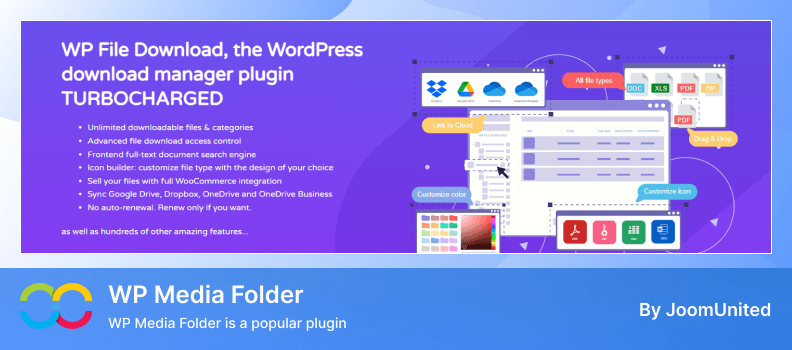
WP Media Folder is a popular plugin that enhances the WordPress media library with advanced organization and Google Drive integration. It allows you to connect your Drive account and manage files directly from the media library.
Once connected, your Google Drive files appear inside the media library just like local files. You can browse folders, upload files, assign them to categories, and insert images, videos, or documents into posts and pages quickly and easily.
Key Features
- Native Google Drive Integration: Connect your Drive account and manage files directly within the WordPress media library.
- Folder Sync: Sync Google Drive folders with the media library structure for organized access.
- Drag and Drop Uploads: Upload files from your computer directly into Google Drive folders in the media library.
- Cloud to Media Library Sync: Import Google Drive media files into the media library with a single click.
- Multisite Support: Use Google Drive integration across WordPress multisite setups.
- Advanced Media Organization: Create folders, subfolders, and categories to structure large media libraries.
Pros
- Works seamlessly inside the WordPress media library.
Syncs Google Drive files with media library folders efficiently. - Supports folder syncing and media imports with ease.
- Strong media management and organization tools.
Cons
- Google Drive integration requires the premium add‑on.
- Some advanced features need separate licenses.
- Initial setup requires Google API configuration.
Pricing: WP Media Folder starts at $49 per year for the base plugin, and the Google Drive integration add‑on may require a higher plan.
Integration for Google Drive
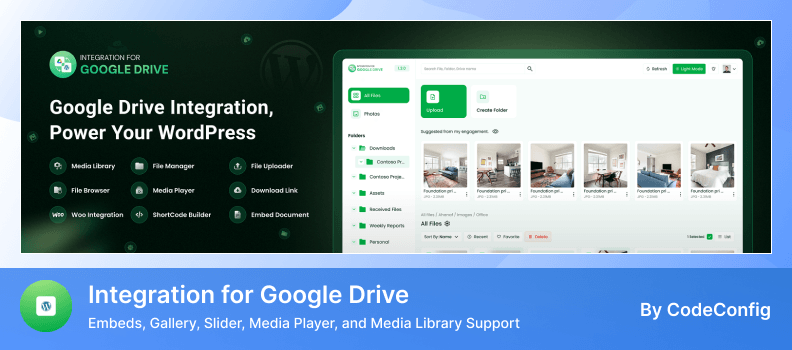
Integration for Google Drive is a lightweight WordPress plugin that lets you connect your Google Drive account with the WordPress media library. It helps you manage and access your Drive files directly from the media library with ease.
Once connected, you can browse, upload, and insert Google Drive files, including images, videos, and documents right into your media library. The plugin keeps your files organized and reduces the need to switch between Google Drive and WordPress.
Key Features
- Google Drive Connection: Link your Drive account to the media library for direct file access.
- File Browsing: Navigate through your Drive folders from the media library interface.
- Upload to Drive: Upload files from your computer to Google Drive via the media library.
- Insert Media Easily: Add Drive files to posts, pages, and galleries without extra steps.
- Preview Support: Preview images and documents before inserting them into content.
- Basic Sync: Sync selected folders between Drive and the media library for quick access.
Pros
- Simple and easy to set up.
- Integrates Drive files into the media library interface.
- Works well for basic file browsing and insertion.
- Ideal for users wanting lightweight integration.
Cons
- Limited advanced features compared to other plugins.
- Fewer customization options for organizing media.
- Syncing features are basic and may not suit large libraries.
Pricing: Integration for Google Drive is available as a free plugin, with optional paid upgrades for additional features.
Advanced File Manager
Advanced File Manager is a versatile plugin that adds powerful file management features to your WordPress media library. With its Google Drive integration, you can connect your Drive account and manage files directly from the media library with ease.
Once connected, you can browse, search, upload, and reorganize your Google Drive files inside the media library. This keeps your content organized and saves time by removing the need to switch between Google Drive and WordPress.
Key Features
- Google Drive Connection: Link your Google Drive account to the media library for seamless access.
- File Browsing and Search: Navigate and search Drive folders directly within the media library interface.
- Drag and Drop Uploads: Upload files from your computer to Google Drive through the media library.
- File Management Tools: Rename, move, copy, and delete files without leaving the media library.
- Folder Sync: Sync selected Drive folders with your WordPress media library structure.
- Preview and Edit: Preview files and make quick changes before inserting them into your content.
Pros
- Smooth Google Drive connection with the media library.
- Powerful file management tools help keep files organized.
- Drag and drop uploads make adding files easy.
- Supports browsing, search, and folder sync efficiently.
Cons
- Some advanced file operations may require premium features.
- The interface may feel complex for beginners.
- Full folder sync options may need additional setup.
Pricing: Advanced File Manager offers a free version with limited features and premium plans with advanced tools and integrations.
Tips for Managing Media Files Between WordPress and Google Drive
Managing media files between your WordPress media library and Google Drive can be easy if you follow a few best practices. Proper organization, syncing, and file management can save time and prevent clutter.
- Organize Files in Folders: Keep your Google Drive files structured with folders and subfolders. Mirror this structure in your media library for easier access.
- Use a Reliable Integration Plugin: Choose a plugin that connects Google Drive to the WordPress media library seamlessly. This ensures files are synced and accessible directly from WordPress.
- Consistent File Naming: Use clear and consistent file names to avoid confusion when uploading or syncing files between Drive and the media library.
- Regularly Sync Files: Schedule regular syncs to ensure that any new files added to Google Drive are reflected in the WordPress media library.
- Limit Access by Roles: Control who can access, upload, or modify files in your media library to maintain security and organization.
- Use Search and Filters: Take advantage of search and filter options in your media library plugin to quickly locate files from Google Drive.
- Backup Important Files: Even with Google Drive integration, maintain backups of important media to avoid accidental loss.
Conclusion
Integrating Google Drive with your WordPress media library makes managing files easier, more organized, and faster. The right plugin lets you access, upload, and sync your media files directly from the media library without switching between platforms.
These plugins help you keep images, videos, and documents structured while improving your workflow. Choosing the best solution ensures a smooth experience and full control over your media library.
FAQs & Answers
What is the benefit of integrating Google Drive with WordPress media library?
Integrating Google Drive allows you to manage, access, and organize all your media files directly from the media library without switching between platforms.
Can I sync entire Google Drive folders with my media library?
Yes, most plugins offer folder sync options so that your Google Drive folders mirror the structure of your WordPress media library.
Are free plugins enough for small media libraries?
For basic file browsing and uploads, free versions work well, but advanced organization, syncing, and analytics usually require the Pro version.
Is it possible to control access to media library files by user roles?
Absolutely, most plugins provide user-specific access, letting you restrict or allow certain folders and files for specific roles.
Will media library plugins work with WooCommerce products?
Yes, several plugins support WooCommerce, allowing downloadable products or customer uploads to connect directly with Google Drive.
How secure is the integration with Google Drive?
These plugins use API connections and standard WordPress security measures to keep your media files safe and private.