
Seamless Google Drive Integration for WordPress
Connect Drive is a powerful WordPress plugin that seamlessly connects your website to Google Drive, giving you instant access to your files and folders directly from your dashboard. Designed for users with no coding experience, it allows you to effortlessly browse, manage, embed, display, upload, download, search, stream, and share your Google Drive content all without leaving your site. It saves time and boosts productivity.

Amazing Connect Drive
Modules Features.
Unlock advanced and powerful Google Drive integrations with ease. You’re near discovering innovative features for Drive integration and the simplest way to connect with us. Dive in now!
File Browser
Display your cloud files using an interactive File Browser. The browser offers both grid thumbnail and list views for the Google Drive files, making it easy and efficient to manage your cloud content.
 Watch Video
Gallery
With Connect Drive, showcase your files using the Gallery feature. Display your Google Drive files in beautiful grid or lightbox layouts, making it easy to organize and present your content visually.

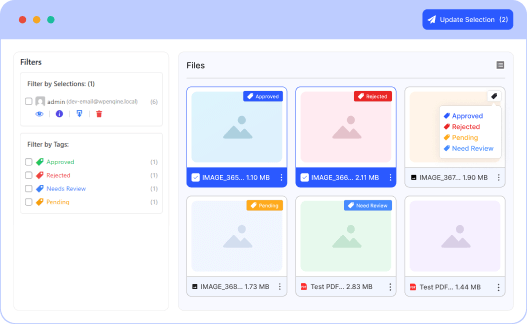
Review & Approve
The Review and Approve module provides a streamlined collaborative workflow, allowing users to review, select, and approve Google Drive files submitted for feedback or confirmation. Perfect for tasks like photo proofing, document approvals, or asset selection, this module features selection checkboxes, approval status indicators, and built-in comment support for seamless collaboration.
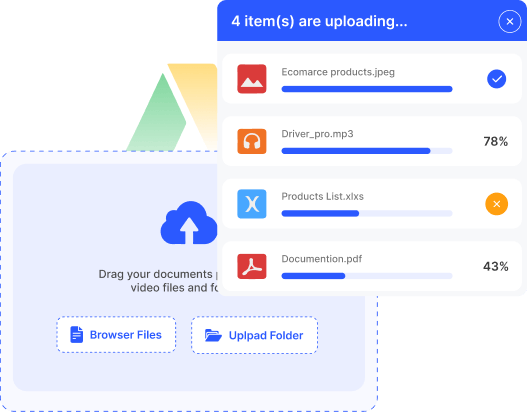
File Uploader
Easily upload your files using the File Uploader. It supports quick, seamless uploads to your Google Drive, providing a simple and efficient way to manage and organize your cloud content.
Media Player
Stream your files effortlessly with the Connect Drive Media Player. Play audio and video directly from your Google Drive, providing a smooth and engaging media experience on your website.

Search Box
The Connect Drive Search Box module lets you quickly find files from your Google Drive. Users can easily search, locate, and access the content they need directly from your website.

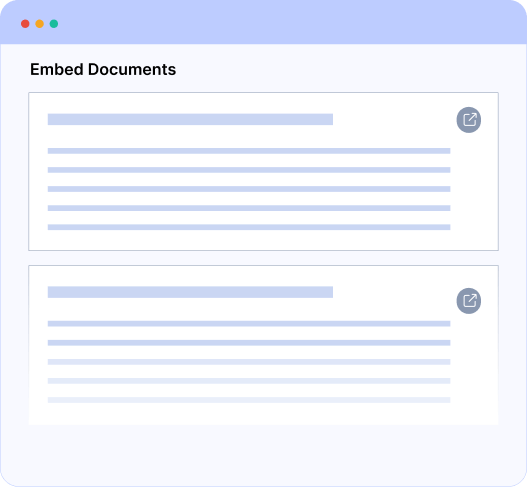
Embed Documents
With the Connect Drive Embed Documents module, you can display your Google Drive documents directly on your website. Easily embed files like PDFs, Word documents, and spreadsheets for seamless viewing without leaving your site.
List
The List Files module provides a clean and organized interface to showcase your Google Drive files, enabling users to preview and download files directly from the list.

Slider Carousel
With Connect Drive, display your files using the Slider Carousel feature. Showcase your Google Drive files in a smooth, interactive carousel, making it easy to highlight and navigate through your content.

Connect Drive Features That Scale Effortlessly
Designed to scale with your growth, keeping performance fast and productivity high.
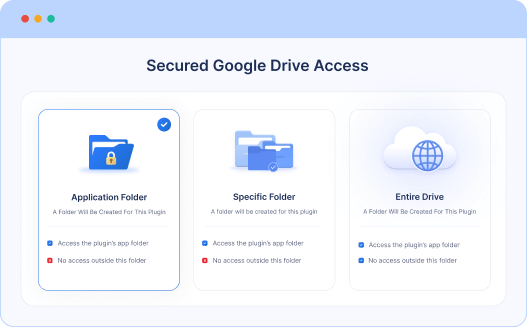
Secured Google Drive Access
You can now connect your Google Drive in the way that works best for you. Choose to give access only to the app’s folder, select a specific folder, or connect your entire drive. This keeps your files private while giving you full control over what’s shared, and what's not. It’s simple, safe, and designed to fit your needs.
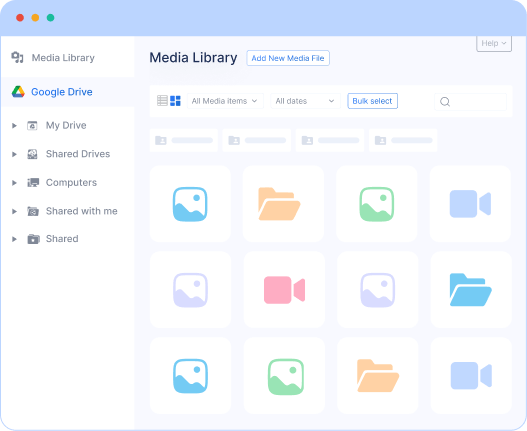
Google Drive Integration with Media Library
The Connect Drive plugin integrates Google Drive with the WordPress Media Library, allowing you to use your Drive files as media attachments directly within WordPress. This seamless integration makes uploading, importing, and syncing media content between WordPress and Google Drive effortless, streamlining digital asset management and enhancing your website’s media capabilities.
Google Drive as Media Attachment
Auto Cloud Sync
Upload to Google Drive
Import from Google Drive
Replace with Google Drive

Multiple Google Accounts
Sometimes, linking multiple Google accounts is essential. Connect Drive gives you complete freedom to connect multiple accounts and easily share files from any specific account you choose.
Powerful Integrations to Simplify Your Workflow
Connect Drive integrates with your favorite platforms, automating workflows and supercharging your productivity.
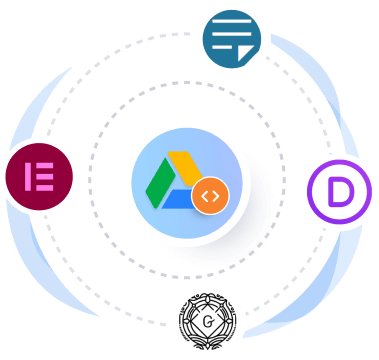
Supports All Major Page Builders
We offer support for all the most popular page builders worldwide. Connect Drive is fully compatible with leading page builders, so you can seamlessly use it with whichever page builder you prefer.
Classic Editor
Gutenberg
Elementor
Divi Page Builder
Watch Video

Supports Leading Forms with Easy Setup
Integrate your favorite services and unlock advanced features with the official form plugin integration. With Connect Drive, you can easily build powerful, feature-rich modules for all the most popular forms.
Contact Form 7
WPForms
GravityForms
NinjaForms
FluentForms
FormidableForms
ElementorForms
MetForms
Watch Video
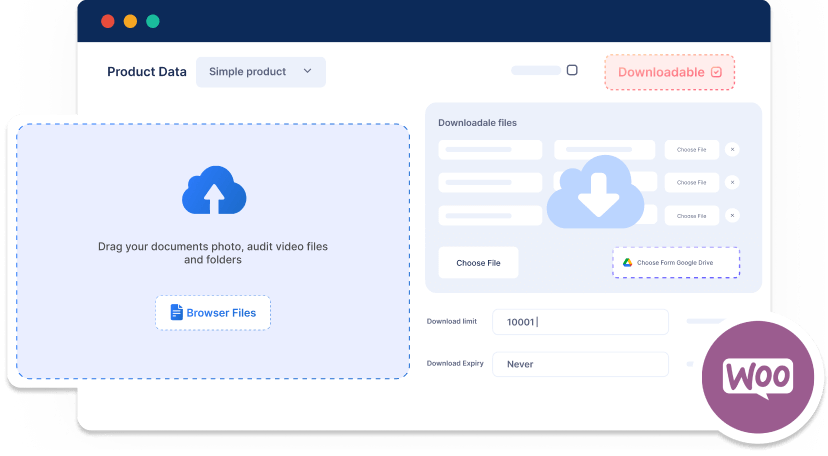
Fully Compatible with WooCommerce
With Connect Drive, you can deliver your downloadable products directly from Google Drive, and even allow customers to upload files to your Drive account when they make a purchase.
Step-by-Step Guide to Using Connect Drive
Boost your productivity with the Connect Drive plugin. Follow our simple, step-by-step guide below to get started and make the most of its powerful features.
Download & Install
Download the plugin from WordPress repository and install it via admin dashboard
Connect Google Account
After activating the plugin, link your Google account to access Connect Drive files
Module Builder
Create various modules using the Module builder, and place them anywhere with the Shortcode
Manage & Browse Files
Plugin's File Browser manages files efficiently. You can copy, edit, rename, and delete files directly without leaving WordPress
Explore and Enjoy Features
Enjoy fast uploads, real-time syncing, and direct Drive access from your WordPress dashboard
See Why People Love Connect Drive
Ensuring high-quality products is one of the best ways to earn our customer’s trust and appreciation.
Simple Pricing, Unbeatable Value
Flexible pricing designed for growing businesses. Scale confidently with premium features at unbeatable value.
FREE
00
Admin File Browser
Module Builder
Gallery Module Hot 
Embed Documents Module
List Module
Classic Editor Integration
Gutenberg Integration
Elementor Integration
Divi Integration
Contact Form 7 Integration Hot
Files Lazy load
Custom CSS
Import, Export, Reset Data
File Browser Module Hot
File Uploader Module Hot
Review & Approve Module New⚡
Media Player Module Hot
Search Box Module
Slider Carousel Module
Media Library Integration New⚡
Advanced Custom Fields Integration
WooCommerce Integration Hot
Dokan Integration
Easy Digital Downloads Integration
Tutor LMS Integration Hot
Connect Multiple Google Account
Most Popular
Annual
30%OFF
$50
$76
$167
$323
$518
All Free Features
Users Private Files
File Browser Module Hot
File Uploader Module Hot
Review & Approve Module New⚡
Media Player Module Hot
Search Box Module
Slider Carousel Module
Media Library Integration New⚡
Advanced Custom Fields Integration
WooCommerce Integration Hot
Dokan Integration
Easy Digital Downloads Integration
Tutor LMS Integration Hot
WPForms Integration
Gravity Forms Integration
Fluent Forms Integration
Formidable Forms Integration
Ninja Forms Integration
Elementor Form Integration
MetForm Integration
Connect Multiple Google Account
Files Usage Limit Control
Statistics, Email Report & Notification
Auto Synchronize Cloud Files
Custom CSS
Lifetime
30%OFF
$167
$232
$323
$648
$908
All Free Features
Users Private Files
File Browser Module Hot
File Uploader Module Hot
Review & Approve Module New⚡
Media Player Module Hot
Search Box Module
Slider Carousel Module
Media Library Integration New⚡
Advanced Custom Fields Integration
WooCommerce Integration Hot
Dokan Integration
Easy Digital Downloads Integration
Tutor LMS Integration Hot
WPForms Integration
Gravity Forms Integration
Fluent Forms Integration
Formidable Forms Integration
Ninja Forms Integration
Elementor Form Integration
MetForm Integration
Connect Multiple Google Account
Files Usage Limit Control
Statistics, Email Report & Notification
Auto Synchronize Cloud Files
Custom CSS
Freequently Asked Questions
We’re happy to answer your questions
Does Connect Drive affect my hosting bandwidth?
Most media files stream directly from Google Drive, which means your hosting bandwidth stays protected. However, if you generate downloadable ZIP files, those may temporarily use your server’s resources.
Can each user have their own Google Drive folder?
Absolutely. Connect Drive allows you to automatically assign a dedicated Google Drive folder to each registered user. Perfect for client portals, student submissions, membership sites, or private workspaces.
Is there a file upload size limit?
No, Connect Drive does not set any artificial upload limits. You can upload files as large as your Google Drive storage allows. The only limits that apply are those set by Google Drive itself, not by our plugin.
Why is the search taking longer than expected?
Search speed depends on the number of files inside your connected folders. If you have thousands of files and nested subfolders, it may take a few seconds to fetch results. More files = more data to scan.
Is Connect Drive secure?
Yes. Connect Drive uses secure authentication to connect your Google Drive account. Your login credentials are never stored. All communication happens through Google’s official API and secure authorization process.
Can I restrict access to specific files or folders?
Yes, you have full control. You can restrict access by user role, individual users, or specific folders, ensuring that only authorized users can view or upload content.
Discover the Power Behind Connect Drive
See Our Business Success at a Glance
400
k+
Free Downloads
30
k+
Happy Customers
8
k+
Active installation
106
+
5 star positive rating
165
+
Countries Worldwide
06
+
Years Experience
Ready to Integrate Connect Drive into Your Website?
The best Connect Drive cloud solution plugin for WordPress, allowing you to integrate your Google Drive files directly into your WordPress website.