
WooCommerce
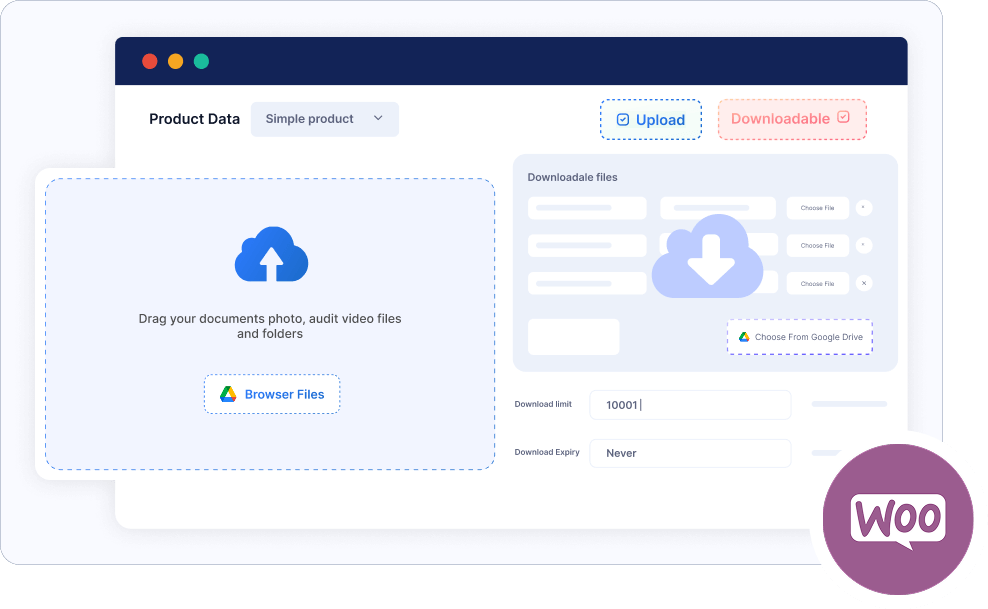
The Connect Drive plugin, compatible with WooCommerce, allows administrators to let users upload and download files from multiple locations across your website.
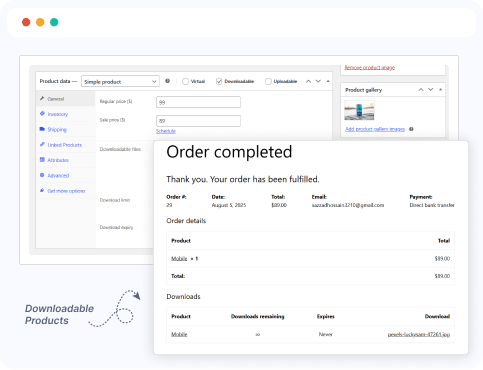
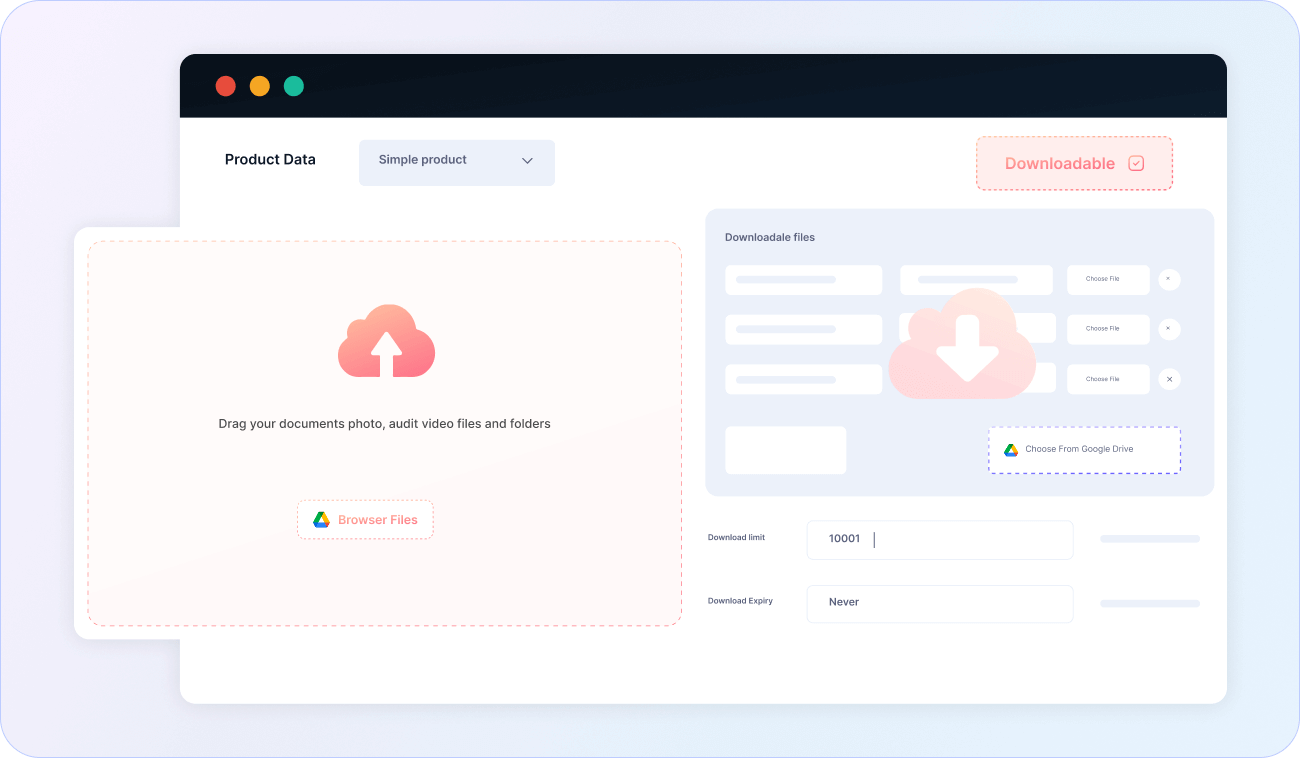
Downloadable connect Drive Products
Easily sell digital products stored in Google Drive through your WooCommerce store. Attach Google Drive files as product downloads and provide secure, instant delivery to customers after purchase.
Use connect Drive files as WooCommerce downloads
Secure file delivery after order completion
Supports large files and multiple file types
No need to upload files to WordPress
Works with both simple and variable products
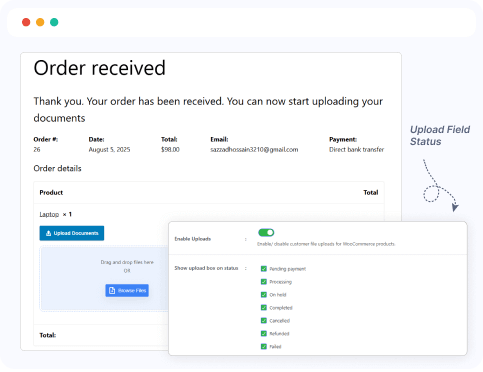
Google Drive Upload Field based on Order Status
Display or hide the Google Drive file upload field on the order details page according to the order status. This feature is perfect for collecting additional files from customers only under specific conditions.
Pending Payment
Processing
On Hold
Completed
Cancelled
Refunded
Failed
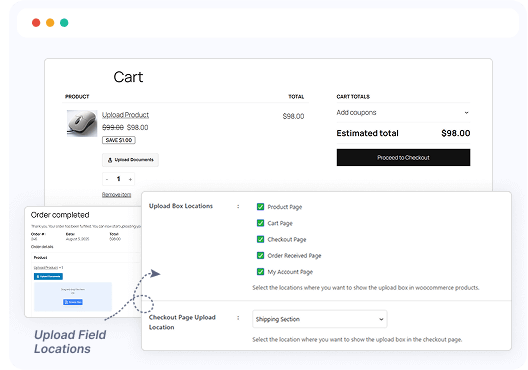
Google Drive Upload Field based on Page Locations
Show the Google Drive upload field on selected pages of your site, such as product pages, checkout, thank you, or account pages. Easily control where users can upload files to fit your workflow perfectly.
Product Page
Cart Page
Checkout Page
Order Received Page
My Account Page
Dokan
Dokan compatibility lets store owners enable file uploads and downloads directly on specific product pages. It also allows Dokan vendors to efficiently manage and monitor file access within their assigned stores.
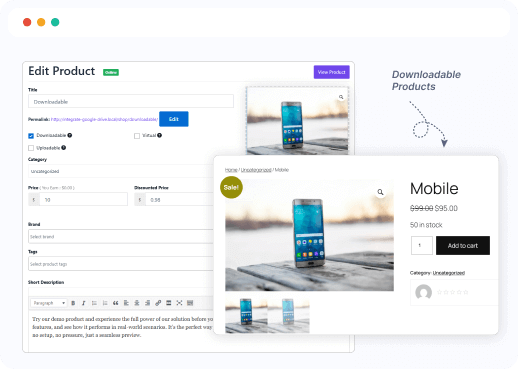
Downloadable Google Drive Products
Enable Dokan vendors to use their Google Drive files as downloadable products. Vendors can securely attach Drive files to their digital products and sell them effortlessly through your multi-vendor marketplace.
Vendors can link Drive files to their products
Secure file delivery after purchase
Supports all connect Drive file types
Fully compatible with Dokan digital products
No need to upload files to WordPress
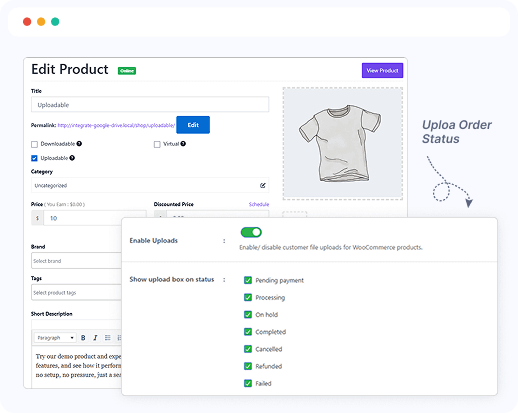
Google Drive Upload Field based on Order Status
Allow Dokan vendors to display or hide the Google Drive upload field on order details according to the order status. This ensures vendors can collect files from customers at the appropriate stage, such as after payment or during order processing.
Pending Payment
Processing
On Hold
Completed
Cancelled
Refunded
Failed
Draft
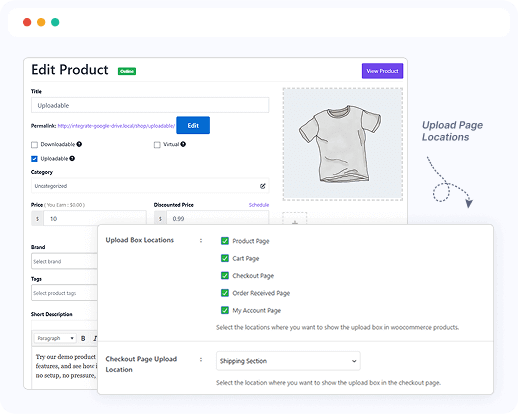
Google Drive Upload Field based on Page Locations
Enable Dokan vendors to display Google Drive upload fields on specific pages, including product, checkout, thank you, or account pages. This provides vendors with precise control over where and when customers can upload files during their purchase journey.
Product Page
Cart Page
Checkout Page
Order Received Page
My Account Page
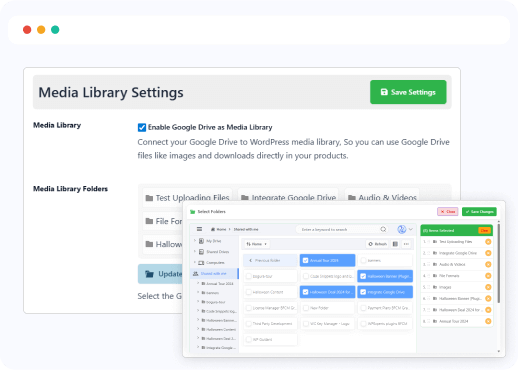
Media Library Integration
Provide Dokan vendors with a Google Drive-connected Media Library directly in their dashboard. Vendors can easily browse, select, and reuse previously uploaded files without re-uploading, making product management faster and more efficient.
Google Drive-powered Media Library for vendors
Browse and reuse uploaded media across products
Access from the Dokan vendor dashboard
Supports images, audio, video, documents, and more
Boosts efficiency and consistency for digital vendors
Ready to Integrate Connect Drive into Your Website?
The best Connect Drive cloud solution plugin for WordPress, allowing you to integrate your Google Drive files directly into your WordPress website.