

Managing files efficiently is a common challenge for WordPress site owners. Especially when handling documents, images, and backups. Integrating Google Drive with WordPress helps streamline file storage, access, and sharing directly from your website.
With the right plugin, you can sync media files, embed documents, and create download libraries. You can store backups on Google Drive. This reduces server load and boosts security. It also simplifies file management without complex steps.
In this article, we’ll explore the 5 best plugins that make integrating Google Drive with WordPress simple, efficient, and reliable.
What is the Google Drive Plugin?
A Google Drive plugin is a tool that connects Google Drive with WordPress. It allows you to access, upload, and manage your Drive files directly from your WordPress dashboard. Instead of downloading and re-uploading files, you can work with them seamlessly inside your website.
These plugins help you embed documents, display folders, sync media files, and store backups in Google Drive. They improve file organization and reduce server storage usage. Most plugins also offer secure authentication to keep your data protected.
Why Integrate Google Drive with WordPress?
Integrating Google Drive with WordPress is a smart way to organize files, streamline workflow, and boost website performance. It lets your site work directly with cloud storage, so you don’t need to manage files separately. Centralizing media, documents, and backups in one place saves time and reduces errors.
See the key benefits below:
- Better File Management: Easily manage documents, images, media, and all types of content from WordPress. Saves time, keeps everything organized, and improves workflow.
- Lower Server Load: Store large files, videos, images, and backups on Google Drive instead of your server. Reduces strain, improves site speed, and optimizes performance.
- Easy File Sharing: Quickly embed PDFs, documents, spreadsheets, videos, and other media in posts or pages. Files stay updated, easy to share, and accessible.
- Safe Website Backups: Automatically send WordPress backups, plugins, themes, and media files to Google Drive. Keeps your data secure, safe, and easily restorable.
- Team Collaboration: Allow multiple team members, editors, and contributors to access shared files. Everyone works on the latest versions, making teamwork simple.
Best Google Drive Plugins for WordPress
Without further delay, let’s dive into some of the best WordPress Google Drive plugins that can boost your website’s performance and enhance user experience.
Integrate Google Drive
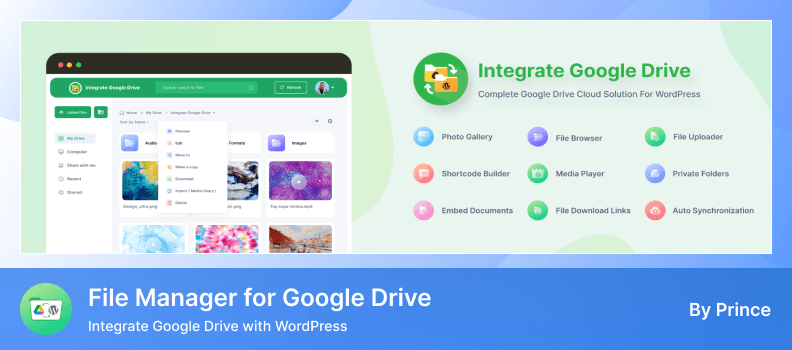
Integrate Google Drive is a powerful and easy-to-use Google Drive cloud integration plugin for WordPress. It allows you to connect your Google Drive account and display documents, media files, and other content directly on your WordPress website.
With Integrate Google Drive, you can share your Google Drive files quickly and effortlessly. It lets you browse, manage, embed, display, upload, download, search, play, and share files on your site without any coding or technical hassle.
Key Features
- Seamless Google Drive Integration: Connect your Google Drive account to WordPress for direct file management and display.
- File Browser Module: Build a customizable file library to showcase Google Drive files to your visitors.
- File Uploads from Website: Enable users or clients to upload files directly to your Google Drive through your site.
- Gallery & Slider Modules: Display images, videos, and documents from Google Drive in galleries or interactive sliders.
- Media Player Module: Play audio and video files directly from Google Drive with streaming and download controls.
- Search Box Module: Allow visitors to search Google Drive files from your website using full-text and metadata search.
- WooCommerce & EDD Integration: Serve downloadable products from Google Drive and let customers upload files during purchase.
- Multi-Form Integration: Supports file uploads to Google Drive via Contact Form 7, Gravity Forms, WPForms, Ninja Forms, Fluent Forms, and more.
- User-Specific File Access: Provide private folders and control access to files based on user or role.
- Analytics & Notifications: Track file activity, receive email reports, and get notifications for uploads, downloads, and interactions.
Pros
- Seamless integration between Google Drive and WordPress.
- User-friendly interface for managing and displaying files.
- Supports a wide range of file types and formats.
- Offers extensive customization options via shortcodes and modules.
- Provides detailed analytics and reporting features.
Cons
- Some advanced features are only available in the Pro version.
- Initial setup requires configuring Google API credentials.
- Certain features may need additional plugins or integrations.
Pricing: The PRO version of Integrate Google Drive starts at $29.99/year.
EmbedPress

EmbedPress is a versatile WordPress plugin that allows you to embed content from multiple sources directly into your website. It supports PDFs, 3D flipbooks, videos, social feeds, Google Docs, Maps, and more, all without coding. With EmbedPress, you can enhance your website’s engagement by adding interactive and multimedia content easily via Gutenberg, Elementor, or other page builders.
It’s perfect for bloggers, businesses, and creatives who want to make their site more dynamic. Embedding content is fast and simple. No technical skills are needed to get started.
Key Features
- Embed Unlimited Content: Easily embed PDFs, videos, Google Maps, social feeds, and more with just a URL.
- 3D PDF Flipbook Viewer: Turn regular PDFs into interactive 3D flipbooks for a richer experience.
- Multimedia Embeds: Supports YouTube, Vimeo, Spotify, and 25+ other platforms.
- Customizable Galleries & Sliders: Display images, videos, and documents in stylish galleries or sliders.
- Post & Page Embeds: Embed posts or pages from any website using the Wrapper feature.
- Shortcodes & Page Builder Support: Works with Gutenberg, Elementor, Divi, Beaver Builder, and Classic Editor.
- Social Sharing: Easily share embedded content on Facebook, LinkedIn, X, Pinterest, and more.
Pros
- Supports a wide range of multimedia and document sources.
- No coding required, easy to embed content with URLs or blocks.
- Works seamlessly with major page builders and editors.
Cons
- Some advanced features require the Pro version.
- Video customization and analytics are limited in the free version.
- Initial setup may take a few minutes to configure.
Pricing: EmbedPress Pro starts at $39/year for advanced features and analytics.
Embed Files from Google Drive
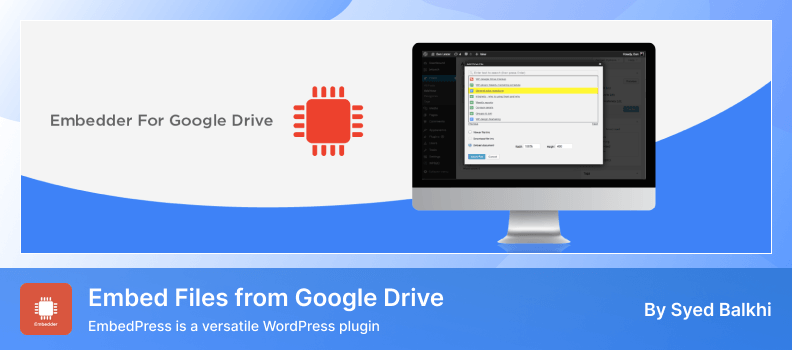
Embed Files from Google Drive is a useful WordPress plugin that lets you easily display files from your Google Drive account right inside your website. You can embed documents, spreadsheets, PDFs, images, and more with just a few clicks. It’s designed to make sharing Drive files on your WordPress site simple and fast.
This plugin works seamlessly with the WordPress editor. You don’t need any coding skills to use it. Embedding files takes only seconds and improves how visitors interact with your content.
Key Features
- Direct Google Drive Embeds: Embed Google Docs, Sheets, Slides, PDFs, images, and more with ease.
- User-Friendly Interface: Choose files directly from your Google Drive within the WordPress editor.
- Live Preview in Editor: See how your embedded files will look before publishing them.
- Multiple File Type Support: Works with docs, spreadsheets, presentations, PDFs, and images.
- Responsive Display: Embedded files adjust to screen size for desktop and mobile.
- Simple Authentication: Connect your Google Drive account securely without complex steps.
- Quick Search & File Selection: Search and pick files from your Drive quickly while editing pages or posts.
Pros
- An easy and fast way to embed Google Drive content in WordPress.
- Works with many file types and displays them cleanly.
- No coding needed, perfect for beginners.
Cons
- Limited customization options compared to advanced plugins.
- Some features may require additional add-ons.
- Fewer advanced display layouts than premium tools.
Pricing: Google Drive Embedder is free to use from the WordPress plugin repository.
Use-your-Drive

Use‑your‑Drive is a premium WordPress plugin that lets you integrate your Google Drive files and folders into your website. You can display documents, images, videos, and folder structures live on your pages or posts. It connects Drive content and WordPress with display and upload features, no coding needed.
This plugin works in real time, so any changes in Google Drive show instantly on your website. You can browse files, let users upload directly to Drive, and create private folders. It’s perfect for team portals, client dashboards, or membership sites using cloud file access.
Key Features
- Live Google Drive Display: Show Google Docs, Sheets, PDFs, images, and videos on your site with responsive layouts.
- Multiple View Modes: Choose from list, table, gallery, or accordion views to fit your content style.
- Upload Box & Forms: Allow visitors or clients to upload files straight to designated Drive folders.
- User Access & Private Folders: Restrict files or create private folders per user or role.
- Advanced Search & Sorting: Enable search by name, date, size, or type to help users find files fast.
- Inline Previews & Media Player: Preview documents, images, audio, and video right on your site.
- Shortcode & Builder Support: Use shortcodes, blocks, or widgets to place file views anywhere.
Pros
- Real‑time sync between Google Drive and WordPress.
- Multiple view layouts and upload options.
- Strong access control and user folder support.
Cons
- Premium plugin with no free version.
- Requires Google API credentials setup.
- Only works with Google Drive (no Dropbox/OneDrive).
Pricing: One‑time purchase starts at $39 with lifetime updates and optional extended support.
Image and video gallery from Google Drive

Image and Video Gallery from Google Drive is a WordPress plugin that turns Google Drive folders into clean image and video galleries on your website. Select a folder, and it automatically displays all images and videos. Subfolders appear as nested galleries for smooth browsing.
It loads gallery content directly from Google Drive instead of your server, improving speed and saving storage. You can add galleries with a Gutenberg block or shortcode. Managing galleries is fast and simple for any user.
Key Features
- Gallery from Drive Folders: Display any Google Drive folder as an image/video gallery.
- Nested Subfolder Support: Automatically shows subfolders as separate nested galleries.
- Gutenberg Block & Shortcode: Add galleries with a block or use a shortcode in editors.
- Responsive Layout: Galleries adjust for desktop and mobile screens for a smooth view.
- Shared Drive Compatibility: Works with shared Google Drive folders too.
- Custom Root Folder: Restrict galleries to a selected root folder to control what’s shown.
- Video Support: Display playable videos from Drive alongside images.
Pros
- Loads galleries directly from Google Drive, reducing server load.
- Easy setup with block or shortcode support.
- Supports both images and videos in galleries.
Cons
- Requires Google API setup for Drive access.
- Limited customization compared to full gallery builder plugins.
- Gallery errors can occur if Drive API authentication lapses.
Pricing: Free to use from the WordPress plugin directory.
Conclusion
Integrating Google Drive with WordPress makes file management simple. You can display documents, images, and videos easily on your site. Plugins like Connect Drive offer file syncing, user access control, uploads, and customizable galleries, making media management and sharing effortless.
These plugins also improve workflow, reduce server load, and keep content organized. They are ideal tools for bloggers, businesses, and anyone managing media-heavy websites.